

Your resume and LinkedIn profile are two of the most important tools in a modern job search. However, they can lose their value when they contain outdated job titles, old skills, or career goals that no longer match what you want to do. If your career direction has changed recently, learning how to update resume on LinkedIn can help you present a more consistent professional image.
Whether you are looking for a promotion, changing industries, or applying for a completely different type of role, your resume and LinkedIn profile should tell the same career story.
Start With Your Current Career Goal
Before changing your resume or LinkedIn profile, decide what type of role you want next.
For example, someone who previously worked in general marketing but now wants to specialize in SEO should make sure their resume and LinkedIn profile highlight SEO-related responsibilities, projects, skills, and achievements.
Your career goal should influence what information you emphasize. You do not necessarily need to remove every older experience, but you should give more attention to experience that supports your current direction.
Update Your Resume First
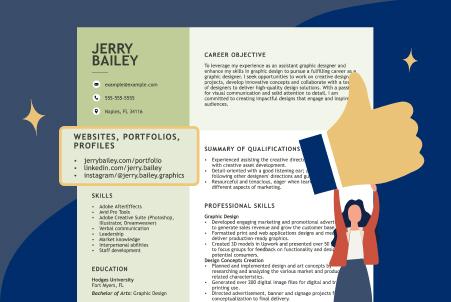
A resume builder can make it easier to create a clean, organized resume around your current career goals.
Review your:
- Professional summary
- Job titles
- Work experience
- Skills
- Certifications
- Education
- Major achievements
- Projects
Your professional summary should quickly explain who you are, what you specialize in, and what type of opportunity you are pursuing.
Instead of using a generic summary, make it relevant to the positions you want to apply for.
Make Your LinkedIn Profile Match
Once your resume is updated, review your LinkedIn profile.
Your LinkedIn headline, About section, experience, and skills should generally support the same professional direction as your resume.
For example, if your resume presents you as a content marketing specialist but your LinkedIn headline says only “Marketing Professional,” there may be a disconnect.
When considering how to update resume on LinkedIn, remember that LinkedIn is more than a place to upload your resume. Your profile itself should communicate your professional experience and goals.
Update Your LinkedIn Headline
Your headline is one of the first things people see on your profile. It should clearly communicate your professional focus.
Instead of simply writing a job title, consider including your specialization and the type of value you provide.
For example:
SEO Specialist | Technical SEO | Content Strategy | Organic Growth
This gives recruiters and potential employers a clearer idea of your expertise.
Review Your Skills
Your skills should also reflect your current career goals.
Remove skills that are no longer relevant if they take attention away from your current specialization. Then add skills that appear frequently in the job descriptions you are targeting, as long as you genuinely have those skills.
The same principle should be applied to the resume created with your resume builder.
Consistency between the two platforms makes it easier for recruiters to understand your professional background.
Add Recent Achievements
Do not simply list responsibilities. Update your resume and LinkedIn profile with meaningful accomplishments.
For example, instead of saying:
“Managed SEO campaigns.”
You could explain the outcome:
“Managed SEO campaigns focused on increasing organic visibility and qualified leads.”
Specific achievements can give recruiters a better understanding of what you have actually contributed.
Keep Both Profiles Consistent
Your resume and LinkedIn profile do not need to be identical, but important information should match.
Check your:
- Job titles
- Employment dates
- Current role
- Professional specialization
- Major achievements
- Skills
- Certifications
If the information is significantly different, recruiters may have questions about your experience.
Review Your Profiles Regularly
Career goals change over time, so updating your resume should not be something you do only when you need a new job.
Set a reminder to review your resume and LinkedIn profile every few months. Add new projects, achievements, certifications, and responsibilities as they happen.
Final Thoughts
Knowing how to update resume on LinkedIn is an important part of managing your professional presence. Start by identifying your current career goal, update your resume using a resume builder, and then make sure your LinkedIn profile communicates the same professional direction.
Keeping both updated can make your job search more organized and ensure recruiters see the most relevant version of your experience.

